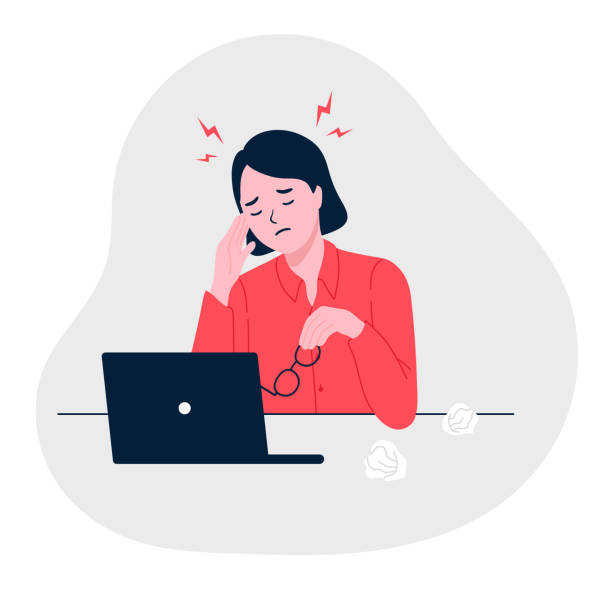
I recently spent an embarrassing amount of time staring at a moving marquee while trying to track down a tiny visual glitch. By the end of the day I wasn’t sure if I was debugging CSS or experiencing motion sickness.
The marquee itself was based on Ryan Mulligan’s excellent article. If you haven’t seen it yet, I highly recommend it. The technique is elegant, lightweight and works beautifully for images.
With text, however, I kept running into a strange issue.
Sometimes the animation was perfectly smooth.
Sometimes refreshing the page made the text „jump” ever so slightly at the looping point.
Sometimes it happened only after publishing, while Webflow Designer looked perfectly fine.
If you’ve experienced something similar, here are a few things worth checking.
1. Custom fonts can change the width of your text
This turned out to be the biggest suspect.
A marquee loop relies on the browser knowing the exact width of the animated content.
If your custom font finishes loading after the animation has already started, the text width may change by a few pixels.
That’s enough to make a perfectly seamless loop suddenly reveal a tiny jump.
In my particular case, explicitly assigning the font-family (instead of relying on inheritance from the body) appeared to make the behaviour much more consistent.
Whether this was caused by the browser resolving the font earlier or by Webflow’s rendering order is hard to say, but it significantly reduced the issue.
2. Don’t let flexbox shrink your content
This one catches people surprisingly often.
Your scrolling element should never be allowed to shrink.
.marquee-item{
    flex-shrink:0;
    white-space:nowrap;
}
Without it, the browser may slightly compress the content depending on the available space, which again changes the total width of the loop.
3. Consider using SVG for text
Ryan already recommends disabling text selection.
That made me wonder…
If users aren’t expected to select the text anyway, why not render it as SVG?
Advantages:
- identical rendering on every frame
- no font loading race conditions
- fixed dimensions
- easier to create complex outlined typography
For decorative marquee headlines, SVG can actually be the more reliable solution.
4. Load marquee images eagerly
If your marquee contains images rather than text, don’t forget loading priority.
loading="eager"If images arrive late, they can change the width of the scrolling track and introduce the same kind of visual hiccup.
5. CSS animations are still fantastic
Despite everything above, I still prefer CSS animations whenever possible.
They are:
- lightweight
- hardware accelerated
- easy to maintain
- require no JavaScript
- ideal for simple, continuously moving elements
For many marquees they’ll work flawlessly.
But if absolute reliability matters…
If you’re building a marketing site where a client might notice a one-pixel jump three months after launch, JavaScript becomes a very reasonable option.
A GSAP implementation that waits for fonts to load and measures the real width of the content is significantly more deterministic.
It requires a little more code, but removes an entire category of timing-related issues.
Or, if you’re feeling lazy…
Ask your favourite AI assistant to write it.
Mine saved me from another afternoon of watching moving text until I got seasick.